Ready on day one
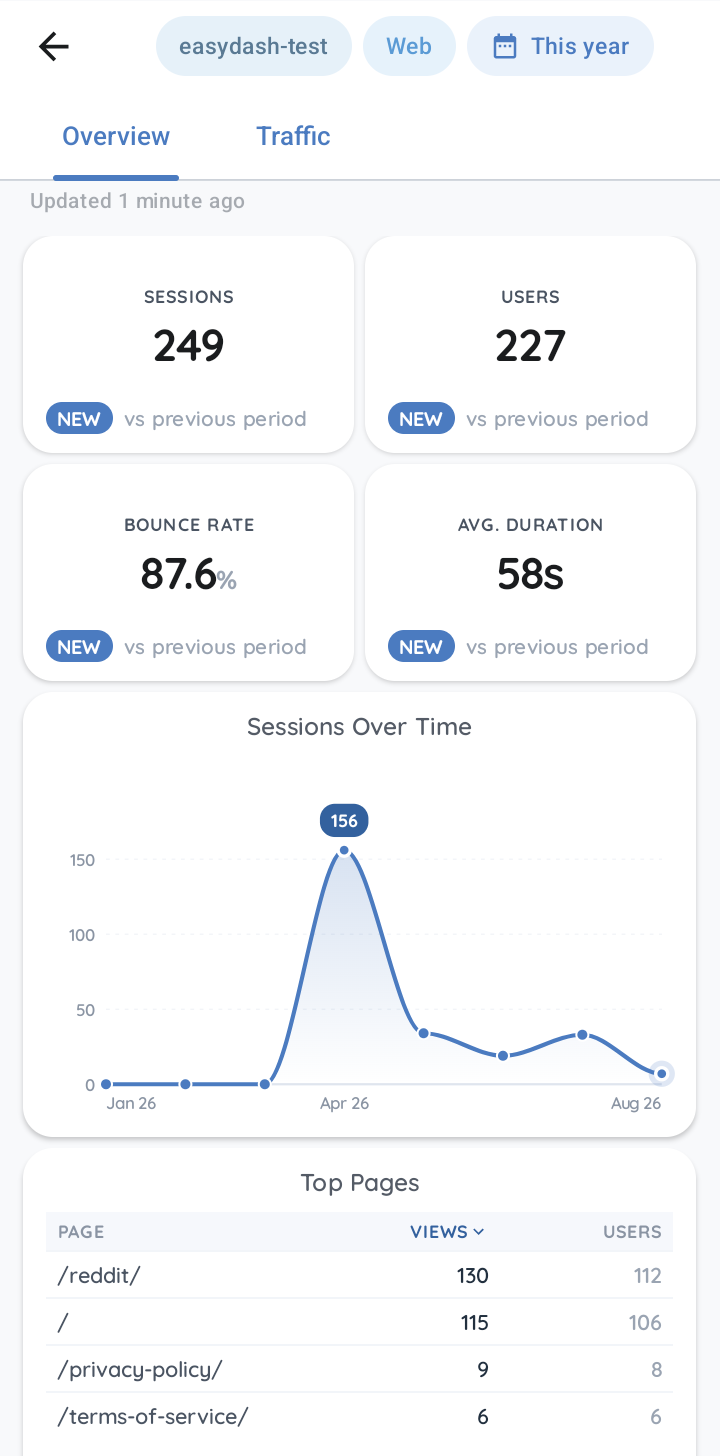
Sign in and open a finished dashboard straight away: Website Overview, App Overview or Realtime, filled with your own numbers.
Android app for Google Analytics 4
EasyDash turns Google Analytics into a clean dashboard on your phone: the numbers that matter, in plain words, on one screen. Made for small businesses, side projects and personal sites — not a heavyweight BI tool, just the numbers you check every day.
Early access. EasyDash works today and is in active development — expect it to change and grow. Your feedback shapes what comes next.
Why it feels easy
Google Analytics can do almost anything, which is exactly why it is hard to glance at. EasyDash keeps the parts you check every day and leaves the rest where it is.
Sign in and open a finished dashboard straight away: Website Overview, App Overview or Realtime, filled with your own numbers.
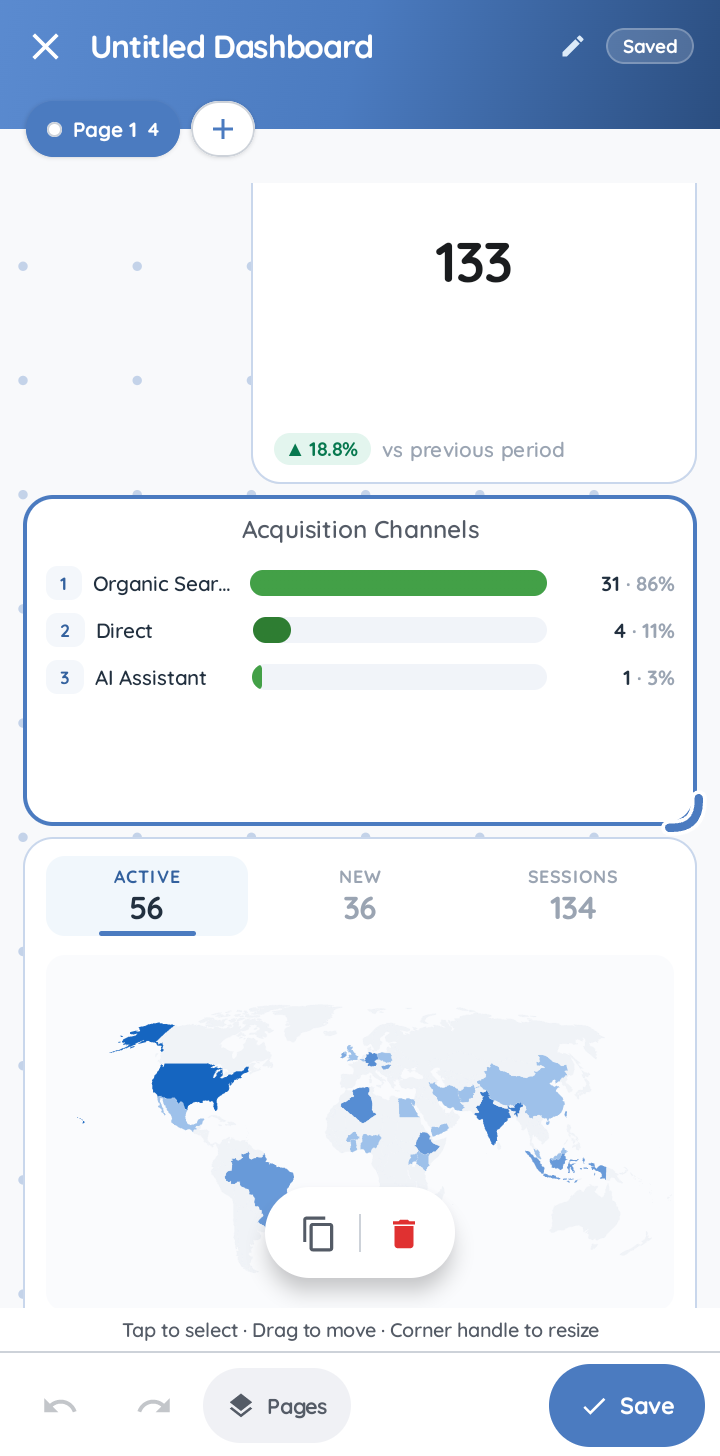
Drag, drop and resize widgets on a clean grid. Every card is yours to configure, with a live preview while you do it.
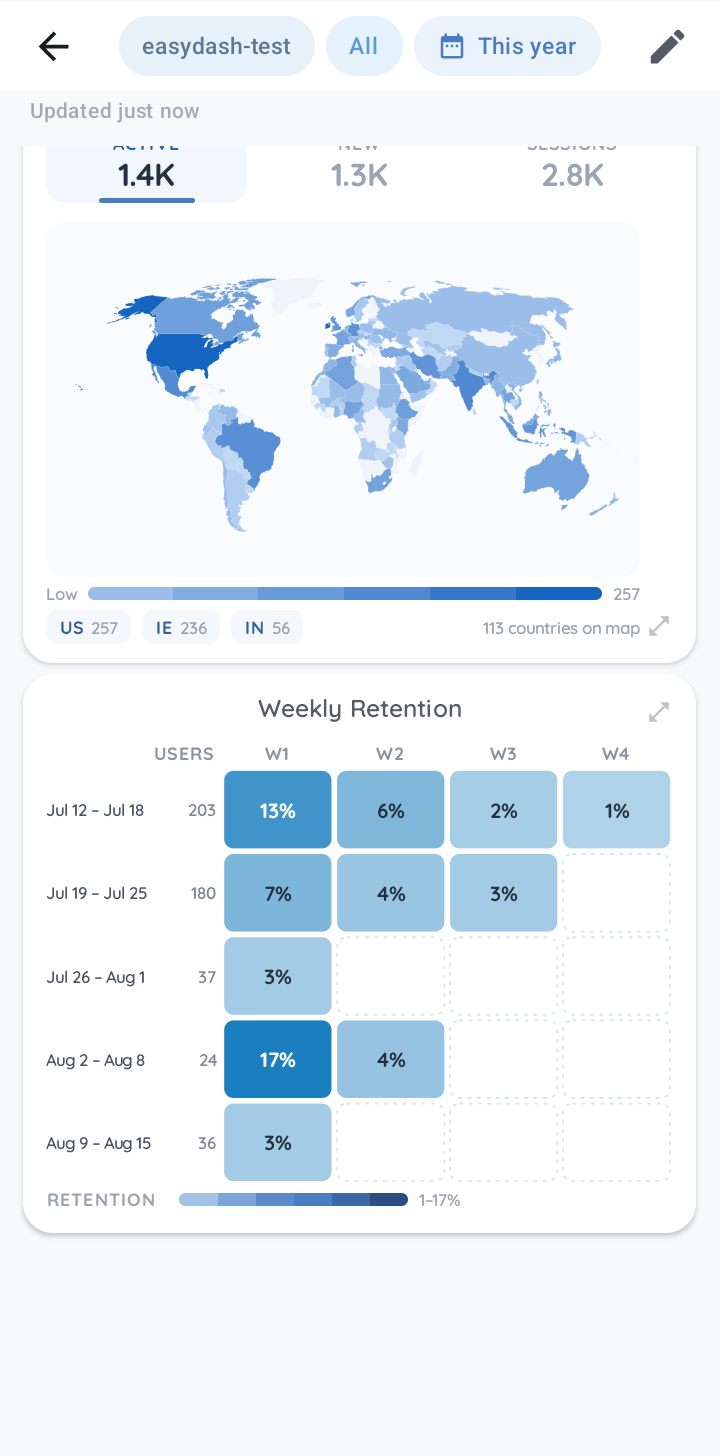
World maps, retention grids, trends and big numbers, each drawn for a phone screen. Plain wording by default; flip to Pro wording when you want the official names.
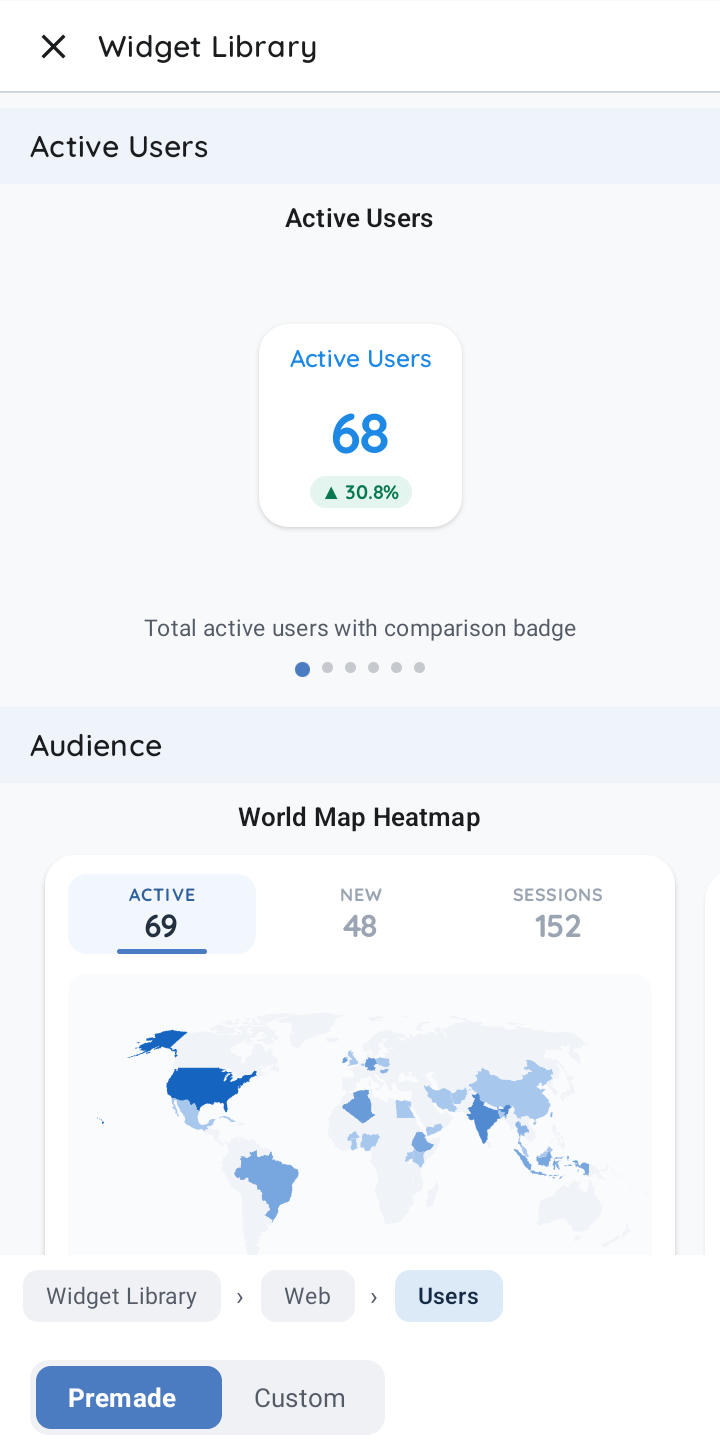
A Widget Library of 66 curated web and app widgets, each previewed with your data before you add it. Drop one in, or build your own.
What it looks like
Nothing staged: these are captures from EasyDash running on a phone.
How it works
Use the Google account that already has access to your Analytics. EasyDash asks for read-only access and nothing more.
All the properties your account can see are listed. Choose one; switch any time.
Start with a built-in one, then edit it or build your own from the Widget Library.
Private by design
There is no server of ours in the middle. Your phone asks Google for the report and draws it on the spot, and only your phone keeps a copy.
Not on this path: our servers
EasyDash can never change or delete anything in your property.
Reports are fetched by your device, never routed through our servers.
Recent reports are cached locally so dashboards open instantly.
One clean subscription. Nothing sold, nothing shared.
Our own backend only handles sign-in, optional backup of your dashboard layouts, feedback you choose to send, and anonymous crash reports. You can remove access at any time from your Google Account permissions. Full details in the privacy policy.
Pricing
No account tiers to decode. Use the built-in dashboards for free; go PRO when you want to build without limits.
Nothing to pay — no card, nothing expires
Monthly or yearly — price shown in Google Play in your currency
EasyDash is built by a solo developer and is priced low while it grows. The early-adopter price stays yours for as long as your subscription is active, even when the price rises for new subscribers. Subscriptions renew automatically and are managed, changed or cancelled in Google Play. See the terms of service.
Questions
No. Sign in, pick your website or app, and a ready-made dashboard opens with your real numbers. Charts use plain wording by default; a Pro switch shows the official Google Analytics names when you want them, and every detail screen has a short "What am I looking at?" explanation.
There is a free plan and a PRO subscription. The free plan includes every built-in dashboard plus one custom dashboard with one page and up to four widgets. EasyDash PRO removes those limits and adds cloud backup.
PRO is a monthly or yearly subscription through Google Play; the price is shown in the app in your local currency, and you can cancel any time in Google Play.
Yes. EasyDash asks for read-only access, so it can never change or delete anything in your property. Reports are fetched by your phone directly from Google; the developer's servers are not on that path and never see or store your analytics data.
Our backend only handles sign-in, optional dashboard-layout backup and anonymous crash reports.
Yes. EasyDash works with any Google Analytics 4 property, including properties fed by Android or iOS apps through Firebase. A platform filter lets you look at Web, iOS or Android separately, or all together.
Metric cards with a comparison to the previous period, line charts, bar charts, pie charts, data tables, waterfall charts, a cohort heatmap for retention and a geo map.
On top of that there is a Widget Library of 66 ready-made web and app widgets, such as a world-map heatmap, calendar heatmap, gauge and realtime pulse, each previewed with your own data before you add it.
Yes. After sign-in, EasyDash lists all the accounts and properties your Google account can see, and you can switch between them at any time.
Recent reports are cached on your phone, so dashboards open instantly and still show the last numbers without a connection. Pull to refresh when you are back online.
The official app is built around Google's standard reports. EasyDash is built around dashboards you compose yourself: pick the widgets you care about, arrange them on a grid, and read them in plain wording. It is made for people who want a quick, personal view of their numbers on a phone rather than the full analytics console.
EasyDash runs on Android 8.0 or newer. It follows your phone's light or dark theme, or you can pick one in Settings.
Yes. Remove EasyDash from your Google Account permissions page at any time, sign out in the app, or delete your EasyDash account from Settings or from the Delete Account page on this site. Your Google Analytics data is never affected, because EasyDash never stores it.
Get the app
Install EasyDash, sign in with Google, and your first dashboard is waiting.
Get it onGoogle PlayFree plan included. Android 8.0 or newer. No ads.